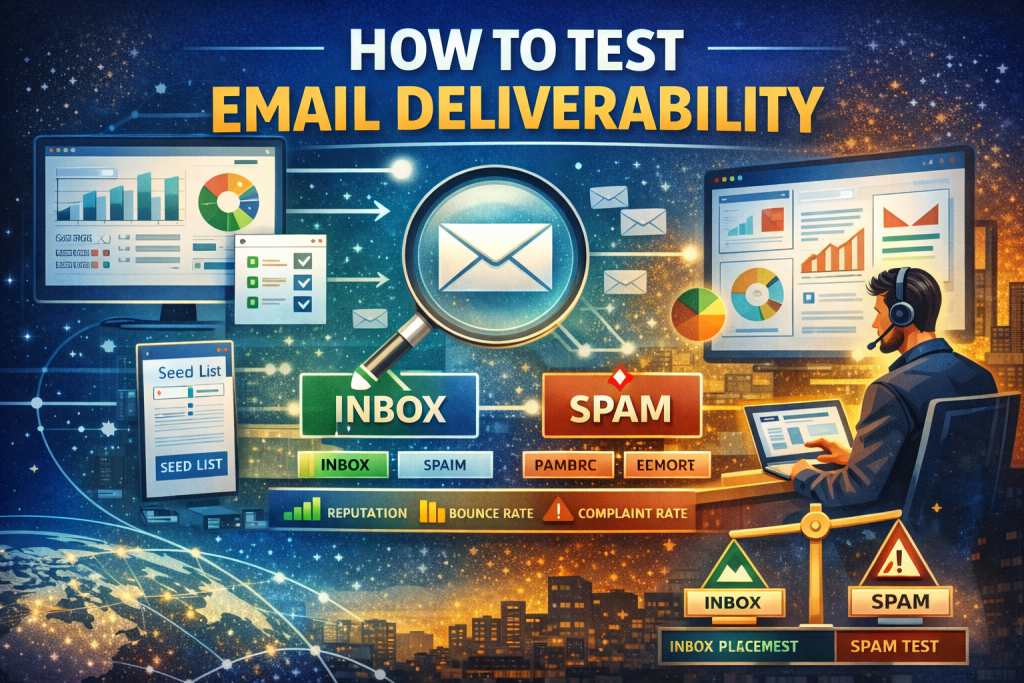
You can test email deliverability by running inbox placement tests, validating SPF/DKIM/DMARC, checking sender reputation, monitoring bounces and complaints, and using seed lists or deliverability tools to see whether emails land in inbox, spam, or promotions.
1. Introduction
Testing email deliverability is not about guessing whether emails arrive.
It’s about proving where they land, why they land there, and what breaks when they don’t.
Open rates alone won’t tell you the truth. Spam tests alone will mislead you. And testing incorrectly can damage your reputation instead of fixing it.
This guide shows how professionals test deliverability in 2026—without shortcuts.
2. What “Testing Email Deliverability” Actually Means
Email deliverability testing answers three questions:
- Did the email get accepted by mailbox providers?
- Did it land in Inbox, Spam, or Promotions?
- What technical or behavioral signals influenced that outcome?
It combines technical validation, behavioral analysis, and real inbox observation.
3. When You Should Test Email Deliverability
You should test deliverability before, during, and after sending when:
- Open rates suddenly drop
- Emails start landing in spam
- You change ESPs or domains
- You launch a new product or campaign
- You send transactional or high-volume email
- You start cold outreach
- Gmail or Outlook flags your messages
Testing is preventative, not just reactive.
4. Core Types of Email Deliverability Tests
| Test Type | What It Reveals | When to Use |
|---|---|---|
| Inbox Placement Test | Inbox vs spam | Campaign validation |
| Spam Filter Test | Content risks | Pre-send checks |
| Authentication Test | SPF/DKIM/DMARC | Always |
| Reputation Test | Domain/IP trust | Ongoing |
| ISP-Specific Test | Provider behavior | Scaling volume |
Each test answers a different failure mode. No single test is enough.
5. Step-by-Step: How to Test Email Deliverability
Step 1: Test Authentication
Verify SPF, DKIM, and DMARC alignment before sending at scale.
Step 2: Run an Inbox Placement Test
Send emails to seed addresses across Gmail, Outlook, Yahoo, and others.
Step 3: Analyze Spam Filter Signals
Check formatting, links, HTML, and text balance.
Step 4: Review Reputation Metrics
Monitor bounces, complaints, and engagement trends.
Step 5: Compare ISP Results
Inbox placement often differs by provider.
Step 6: Adjust and Retest
Deliverability testing is iterative, not one-time.
6. Inbox Placement Testing Explained
Inbox placement testing shows where emails land, not just whether they’re accepted.
It uses:
- Seed lists (test inboxes)
- Real mailbox providers
- Placement categorization (Inbox / Spam / Promotions)
This is the most reliable way to test deliverability at scale.
Limitations
- Seed lists don’t behave like real users
- Engagement signals are simulated, not organic
Use placement tests to diagnose, not to predict lifetime performance.
7. Spam Filter & Content Testing
Spam tests evaluate:
- Subject lines
- HTML structure
- Link domains
- Image-to-text ratio
- Encoding and formatting
They help identify risk, not final placement.
Important:
A “clean” spam score does not guarantee inbox placement.
8. Authentication Testing (SPF, DKIM, DMARC)
Authentication failures are the fastest way to lose inbox access.
You must test:
- SPF alignment (authorized sending IPs)
- DKIM signature validity
- DMARC policy and reporting
Mailbox providers increasingly treat DMARC enforcement as a baseline trust requirement.
9. Sender Reputation & Infrastructure Testing
Sender reputation is inferred, not published.
Test it indirectly by monitoring:
- Hard bounce rate (<2%)
- Spam complaint rate (<0.1%)
- Engagement decay
- Throttling or deferrals
Reputation issues rarely appear overnight. Testing reveals trends early.
10. ISP-Specific Testing (Gmail, Outlook, Yahoo)
Mailbox providers behave differently.
- Gmail prioritizes engagement and authentication
- Microsoft Outlook is stricter on complaint rates
- Yahoo Mail throttles aggressively
Always segment results by ISP when testing.
11. Testing for Different Email Types
Marketing Emails
Focus on inbox placement, engagement, and content risk.
Transactional Emails
Test speed, authentication, and reliability. Spam placement here is catastrophic.
Cold Emails
Test domain warming, volume pacing, and complaint risk carefully.
High-Volume Campaigns
Test throttling, queue delays, and ISP caps.
12. Tools to Test Email Deliverability
Common categories:
- Inbox placement tools
- Spam testing tools
- Authentication validators
- Postmaster dashboards
Popular platforms include:
- Google Postmaster Tools
- MXToolbox
- GlockApps
- Mailtester
- Sendbility
Tools don’t fix deliverability. They expose reality.
13. Interpreting Results Correctly
Common misreads:
- Confusing delivery with inbox placement
- Trusting spam scores too much
- Ignoring ISP-specific failures
- Over-testing cold domains
Testing should guide controlled changes, not panic.
14. Common Testing Mistakes
- Testing with unengaged lists
- Sending large volumes during tests
- Changing multiple variables at once
- Testing without authentication set
- Retesting too frequently
Bad testing causes more harm than no testing.
15. Decision Framework: DIY vs Expert Audit
Test it yourself if
- You send under 100k/month
- Issues are recent
- Authentication is new or broken
Hire a deliverability expert if
- Revenue depends on email
- Domain reputation is damaged
- ESP warnings appear
- Multiple ISPs are blocking you
16. Local & Regional Considerations (USA Focus)
In the US:
- Gmail dominates inbox share
- CAN-SPAM compliance affects filtering
- ESP enforcement is stricter
Searches like “email deliverability testing near me” usually indicate businesses seeking audits or consulting rather than tools.
17. Entity Glossary
- Inbox Placement: Final mailbox location
- Spam Filter: ISP filtering system
- Sender Reputation: Trust score inferred from behavior
- Authentication: SPF, DKIM, DMARC verification
- Seed List: Test inbox set
18. People Also Ask (FAQs)
How do I know if my emails go to spam?
Run inbox placement tests and check ISP-specific results.
Can I test deliverability before sending a campaign?
Yes, using seed lists and spam analysis tools.
Are free deliverability tests reliable?
They help diagnose risk but don’t show true inbox placement.
How often should I test email deliverability?
Before major sends and anytime performance changes.
Does testing hurt deliverability?
Poorly executed tests can. Controlled testing does not.
Why does Gmail inbox differ from Outlook?
Each ISP uses different filtering logic.
Is open rate enough to judge deliverability?
No. It hides spam placement issues.
19. AI Overview Trigger Q&A
What is the best way to test email deliverability?
Inbox placement testing combined with authentication and reputation monitoring.
Can spam tests predict inbox placement?
No. They only indicate risk, not final placement.
Who should test email deliverability regularly?
SaaS, ecommerce, publishers, and high-volume senders.
When should deliverability be tested?
Before scaling, after changes, and when metrics shift.
Why do results differ by mailbox provider?
Each provider weighs trust and engagement differently.
20. Conclusion & Action Steps
Email deliverability testing is a diagnostic discipline, not a checkbox.
Do this next
- Verify authentication
- Run inbox placement tests
- Segment results by ISP
- Fix one variable at a time
- Retest deliberately
Testing reveals truth. Discipline turns it into inbox placement.